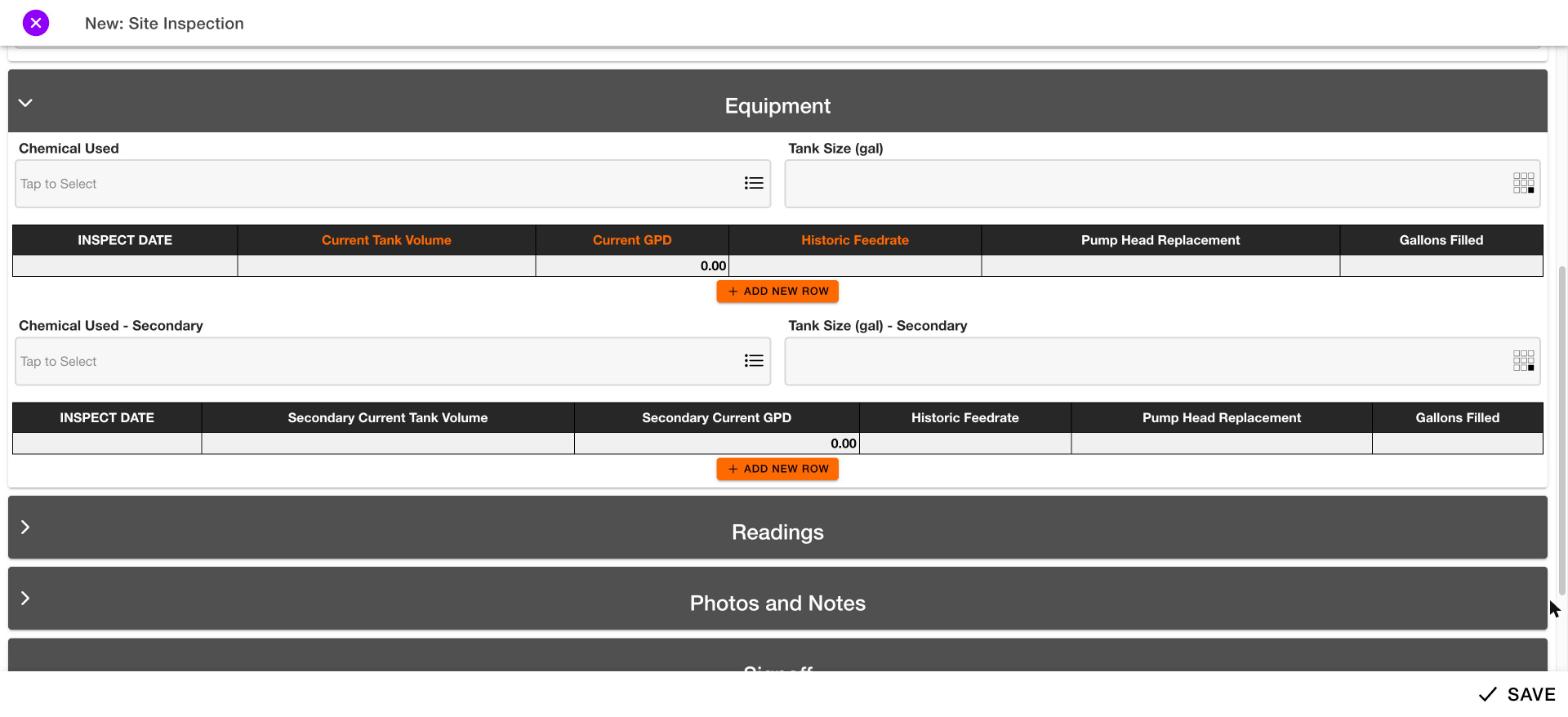
Add a row
1
Tap + Add new row
The button is under the grid. The Table row window opens with a field for each column, such as dates, numbers and checkboxes.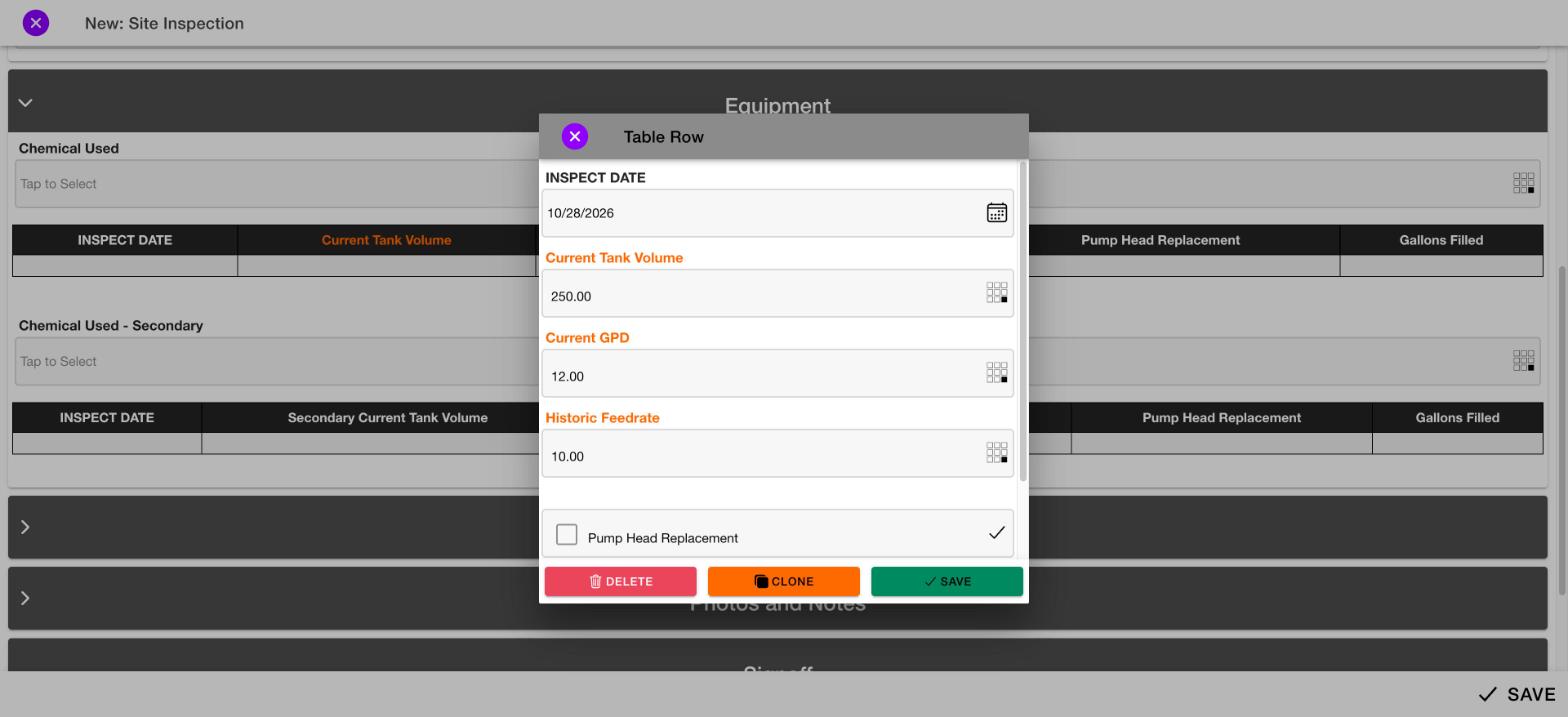
2
Enter the values
Fill in each field for the row.
3
Tap Save
The green Save button adds the row to the grid.
- Clone (orange) copies the row.
- Delete (red) removes the row.
- The purple X closes the window.
Totals
The bottom row of the grid shows totals for some columns. They update automatically. For example, the Current GPD total shows 12.00.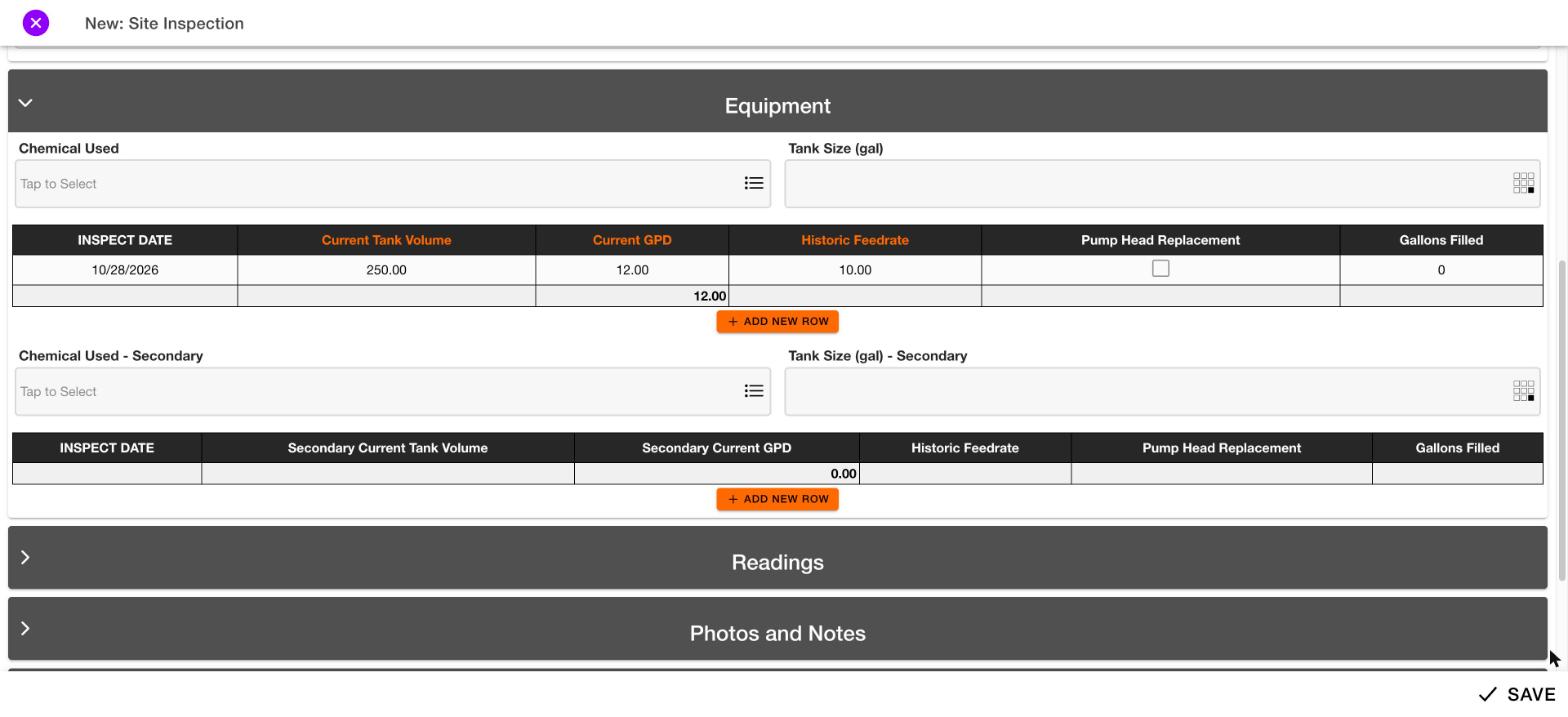
More than one grid
A section can contain more than one grid. Each grid has its own Add new row button.Editing an existing row will be documented later.